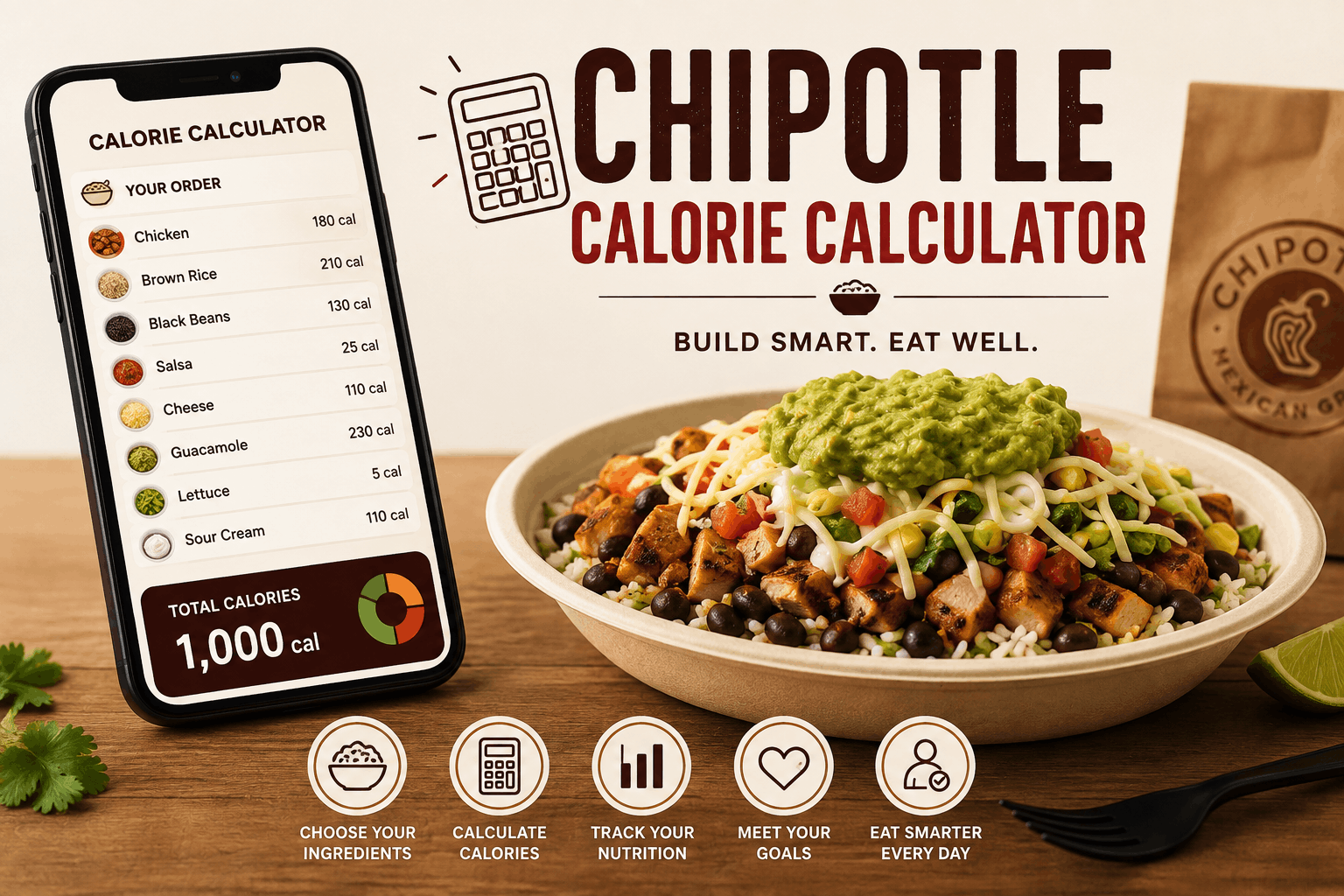
Chipotle Calorie Calculator: How to Estimate Calories in Your Order
A Chipotle order can be surprisingly difficult to estimate by calories because there is no single calorie count for a burrito, bowl, taco, or salad. The final number depends on the individual ingredients, portion sizes, protein choice, toppings, sauces, and extras you select.
A Chipotle calorie calculator makes this easier by adding the calories of each ingredient in a customized order. Instead of relying on a generic estimate for a burrito or bowl, you can build the meal component by component and get a more useful approximation of the total calories.
Chipotle also provides official nutrition information and a nutrition calculator, but a dedicated calculator can be convenient when you want to quickly compare different combinations before ordering. Chipotle notes that nutritional content can vary because of portion sizes, recipes, ingredients, and other factors, so calorie totals should be treated as estimates rather than exact measurements.
Why Chipotle Calories Vary So Much
The biggest reason Chipotle meals have such different calorie counts is customization.
Two people can order a bowl with the same protein but end up with substantially different meals. One might choose rice, beans, cheese, sour cream, and guacamole, while another chooses vegetables, salsa, and lettuce.
Each individual ingredient contributes to the final total. When several calorie-dense ingredients are combined, the difference can become significant.
For example, Chipotle’s nutrition information lists a standard flour burrito tortilla at 320 calories. Cilantro-lime white rice and brown rice are each listed at 210 calories per 4-ounce serving, while black beans and pinto beans are each 130 calories per 4-ounce serving in the U.S. nutrition information.
That means the base of an order can already account for hundreds of calories before protein, cheese, sauces, or other toppings are added.
What Does a Chipotle Calorie Calculator Do?
A calorie calculator breaks a customized Chipotle meal into individual components.
Instead of asking, “How many calories are in a Chipotle bowl?”, you can ask a more specific question: “How many calories are in my bowl with chicken, brown rice, black beans, fajita vegetables, salsa, and cheese?”
A typical calculator works by letting you select:
- Meal type
- Protein
- Rice
- Beans
- Fajita vegetables
- Salsas
- Cheese
- Sour cream
- Guacamole
- Lettuce
- Queso
- Chips
- Drinks
- Extra portions
The calculator then adds the estimated calories from the selected ingredients.
For people who regularly customize their orders, a resource such as a Chipotle calorie calculator can provide a quick way to estimate the total before placing an order.
Chipotle Calorie Calculator vs. Looking at Ingredients Individually
Both approaches can work, but they serve slightly different purposes.
| Approach | Best for | Main advantage |
| Official nutrition information | Checking individual ingredients | Direct source for nutrition data |
| Chipotle’s nutrition calculator | Building an order | Useful for customized meals |
| Calorie calculator | Quick meal estimates | Simple ingredient-by-ingredient calculation |
| Manual calculation | Comparing specific combinations | Maximum control over the math |
For the most reliable information, start with current nutrition information from Chipotle. A calculator can then make that information easier to apply to a specific meal.
Which Chipotle Ingredients Add the Most Calories?
Not every ingredient affects the total equally.
Some components are relatively light, while others can add a few hundred calories to an order. This is why looking only at the protein can give an incomplete picture.
Chipotle’s published U.S. nutrition information, for example, lists fajita vegetables at 20 calories per 2-ounce serving. By comparison, a flour burrito tortilla is 320 calories, and a 4-ounce serving of rice is 210 calories.
Some of the ingredients worth paying particular attention to include:
Tortillas
A burrito tortilla can make a substantial contribution to the overall calorie count before anything is added to it.
If you’re comparing a burrito with a bowl, the tortilla is one of the first differences to consider.
Rice
Rice is another major contributor because a standard serving contains a meaningful amount of calories and carbohydrates. Choosing rice or skipping it can noticeably change the total.
Beans
Beans provide calories along with protein and fiber. Black and pinto beans both contain 130 calories per 4-ounce serving in Chipotle’s published U.S. nutrition data.
Cheese, Sour Cream, Queso, and Guacamole
Toppings can be easy to overlook because they are added in smaller portions. However, several toppings combined can substantially increase the calorie total.
This is particularly important when estimating a meal from memory. A bowl that looks relatively simple can contain considerably more calories once multiple toppings and extras are included.
Chips and Drinks
Sides and beverages can also change the total.
Someone calculating only the main entrée may underestimate the calories in the complete meal if chips, queso, or a calorie-containing drink are included.
How to Use a Chipotle Calorie Calculator
The process is straightforward.
1. Start With the Meal Type
Choose whether you’re ordering a burrito, bowl, tacos, salad, or another menu option.
The meal format matters because some options include components that others do not. A burrito, for example, normally includes a tortilla, while a bowl does not.
2. Add Your Protein
Select the protein you’re planning to order.
If you are comparing two meals, keep the other ingredients identical. This makes it easier to see how changing the protein affects the overall nutritional profile.
3. Add Rice and Beans
Next, select your rice and bean choices.
Remember that portion size matters. Nutrition figures are generally based on defined serving sizes, while actual restaurant portions can vary. Chipotle itself cautions that nutritional content may vary because of portion sizes and other factors.
4. Add Vegetables and Salsas
Add fajita vegetables, salsa, lettuce, and other lower-calorie ingredients according to your actual order.
This step helps produce a more realistic estimate than simply using the calorie count of the protein and rice.
5. Include Toppings
Add cheese, sour cream, queso, guacamole, or any other toppings you plan to request.
Don’t skip this step just because toppings seem like small additions. Several individual extras can collectively make a meaningful difference.
6. Add Sides and Drinks
Finally, include chips, queso, beverages, or anything else you are eating with the meal.
The goal is to calculate the entire order, not just the entrée.
How to Build a Lower-Calorie Chipotle Meal
You do not necessarily need to avoid Chipotle to keep calories in check. The easier approach is to understand which components have the greatest impact and make deliberate substitutions.
A few practical strategies include:
- Choose a bowl instead of a burrito if you want to skip the tortilla.
- Consider a smaller combination of calorie-dense toppings.
- Add fajita vegetables for flavor and volume.
- Compare rice and bean combinations rather than automatically choosing both.
- Be mindful of cheese, sour cream, queso, and guacamole when calculating totals.
- Include chips and drinks in your calculation rather than treating them as separate from the meal.
- Check current nutrition information when menu items or recipes change.
The objective is not to label individual foods as “good” or “bad.” It is simply to understand what is in the meal you’re ordering.
Why Portion Size Matters
Calorie calculators are useful, but they should not create a false sense of precision.
Nutrition information is generally based on standard serving amounts. Restaurant preparation, serving size, recipe changes, and ingredient variation can cause the actual amount to differ from the calculated figure.
Chipotle specifically states that its nutritional content may vary because of variations in portion size or recipes, changes in growing seasons, and differences in ingredient sources.
For that reason, a calculator is best used as a practical estimate.
If you’re tracking calories closely, consistency can also help. Using the same assumptions for serving sizes makes comparisons between meals more useful, even when the actual restaurant portion is not perfectly identical every time.
Calories Are Only One Part of Nutrition
Calories are useful when you want to understand the energy content of a meal, but they do not tell the entire nutritional story.
Protein, carbohydrates, fat, fiber, sodium, sugar, and other nutrients can also matter depending on your dietary goals.
For example, beans contribute calories while also providing protein and fiber. A lower-calorie meal is not automatically a more nutritious meal, just as a higher-calorie ingredient is not automatically a poor choice.
Chipotle publishes nutrition information covering calories and other nutrients, making it possible to look beyond calories when comparing menu combinations.
A Simple Example of Calorie Calculation
Imagine someone orders a bowl with:
- Chicken
- White rice
- Black beans
- Fajita vegetables
- Fresh salsa
- Cheese
- Lettuce
A calculator can estimate the meal by adding the calorie value assigned to each selected ingredient.
Now imagine changing the same order by removing rice, adding guacamole, or switching from a bowl to a burrito. The total changes because the individual components have changed.
This illustrates why a generic statement such as “a Chipotle bowl has X calories” is often misleading. There is no single calorie count that applies to every customized bowl.
Key Takeaways
The most useful points to remember when calculating Chipotle calories are:
- Your order determines the calorie total. There is no universal calorie count for every burrito, bowl, or taco.
- Ingredients add up quickly. Tortillas, rice, and calorie-dense toppings can make a substantial difference.
- Portions matter. Published nutrition figures are based on standard serving information and may not perfectly reflect every restaurant serving.
- Sides count too. Chips, queso, and drinks should be included when calculating the full meal.
- Use current nutrition data. Menu items and recipes can change, so older calorie lists may become inaccurate.
- Calories are not the whole picture. Protein, fiber, carbohydrates, fat, and sodium can also be relevant to your dietary goals.
- Treat calculated totals as estimates. A calculator is a planning tool, not a laboratory measurement.
Final Thoughts
The most accurate way to estimate a Chipotle meal is to break the order down into its individual ingredients rather than relying on a single calorie number.
A Chipotle calorie calculator makes that process faster by combining the components of a customized order into one estimated total. When paired with current nutrition information from Chipotle, it can be a practical tool for anyone who wants to understand what they’re ordering and make more informed food choices.
The important thing is to focus on the complete meal. A tortilla, rice, protein, toppings, sides, and drink can all contribute to the final number, and even small changes to an order can produce a different nutritional profile.